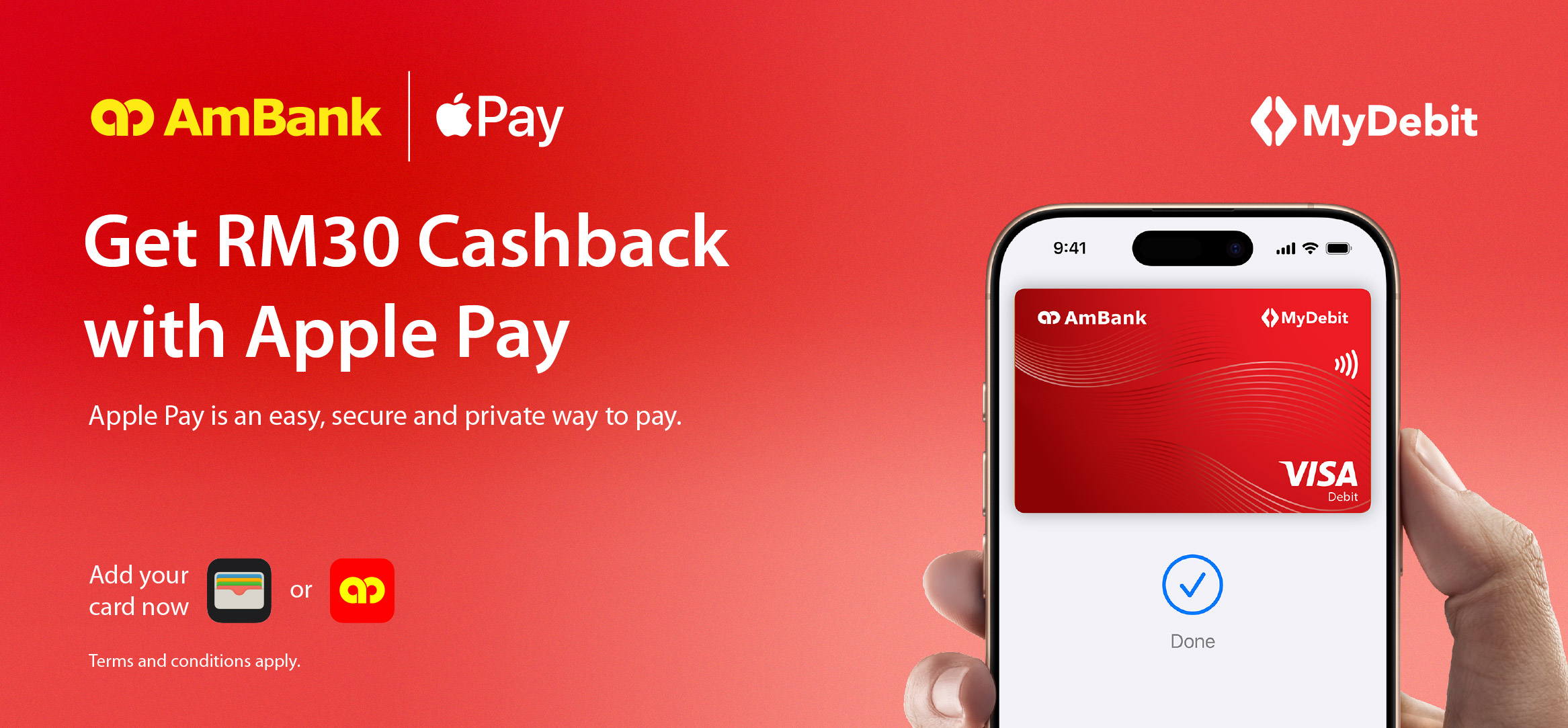
Tap. Pay. Earn Rewards.
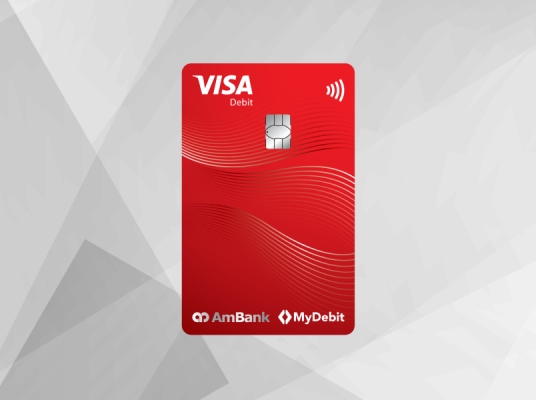
Enjoy a seamless, secure, and rewarding way to pay with your AmBank Visa Debit Card on Apple Pay.
For a limited time, get RM30 Cashback when you spend with Apple Pay!
| Categories | Eligibility | Cashback | |
 | E-commerce platform, website, online subscriptions. | Make three (3) transactions of RM30 or more each in a calendar month using Apple Pay. | Successfully complete the three (3) qualifying transactions and enjoy RM30 Cashback |
 | Local and overseas retail and grocery stores. | ||
 | Food and beverages outlets. | ||
 | Spend categories where Apple Pay is accepted. | ||
Campaign Period: 15 April 2026 – 14 August 2026.
Learn more about using Apple Pay.
Set Debit Card Purchase Limit
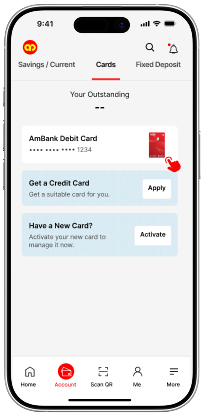 | 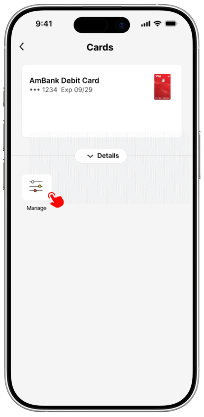 | 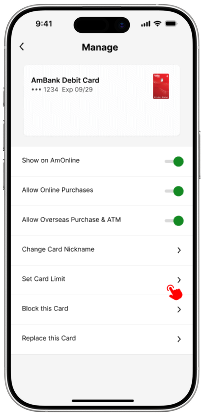 | 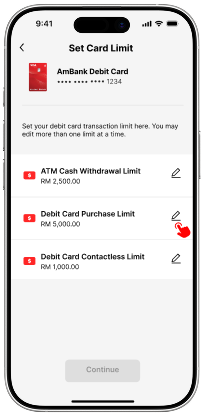 | 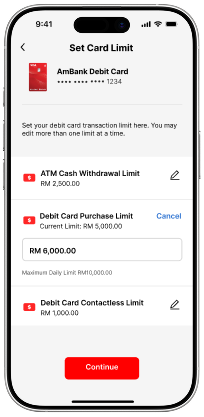 |
| Step 1 Log on to AmOnline and select Debit Card to proceed. | Step 2 Tap on ‘Manage’ in Debit Card Details. | Step 3 Tap on ‘Set Card Limit’. | Step 4 Select ‘Debit Card Purchase Limit’ and tap on the edit button. | Step 5 Key in your preferred limit |
Don’t have an AmBank Debit Card?
Apply for one today to enjoy more exclusive rewards and privileges.
 Update your AmOnline App
to get started.
Update your AmOnline App
to get started.