

.jpg?sfvrsn=a74dfe1c_0 "FCCA-GBP_Thumbnail_536x400 (1)")

Features

Hold multiple foreign currencies
Choose from 10 major global currencies such as USD, GBP, AUD, SGD and more.

Non-interest bearing account
Maintain your foreign currency funds securely without interest rate fluctuations.

Own and manage multiple accounts via AmOnline App
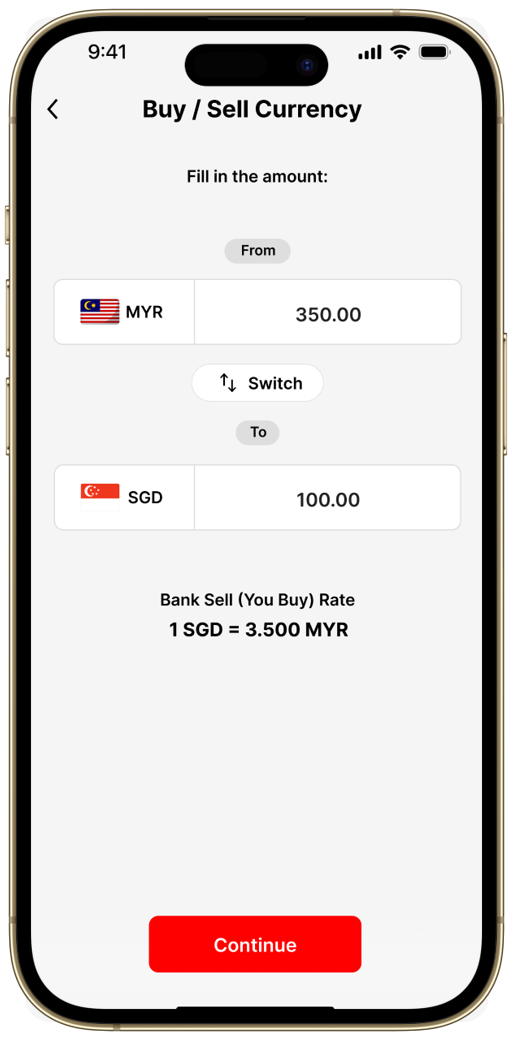
Open FCCA*, buy/sell foreign currencies at
live rate, manage different currency savings
anytime, anywhere.
Easy FX transfers and conversions
Move funds between your FCCA and your
AmBank Savings or Current Account/-i online
or at any branch. Plus, enjoy the convenience
of selected USD currency pairing.
Benefits

Diversify your wealth with
competitive rates
Spread your funds across global currencies
and take advantage of our competitive live
rates.

Hedge against currency
fluctuations
Reduce exposure to volatile exchange rates
when holding, receiving or making payments
in foreign currencies.
Digital convenience via
AmOnline App
Monitor balances, perform buy/sell FX and
access transaction history of all your FCCA safely anytime via app.
| Download AmOnline App today | ||
 |  |  | |

How to Open
 |
 |
 |
|
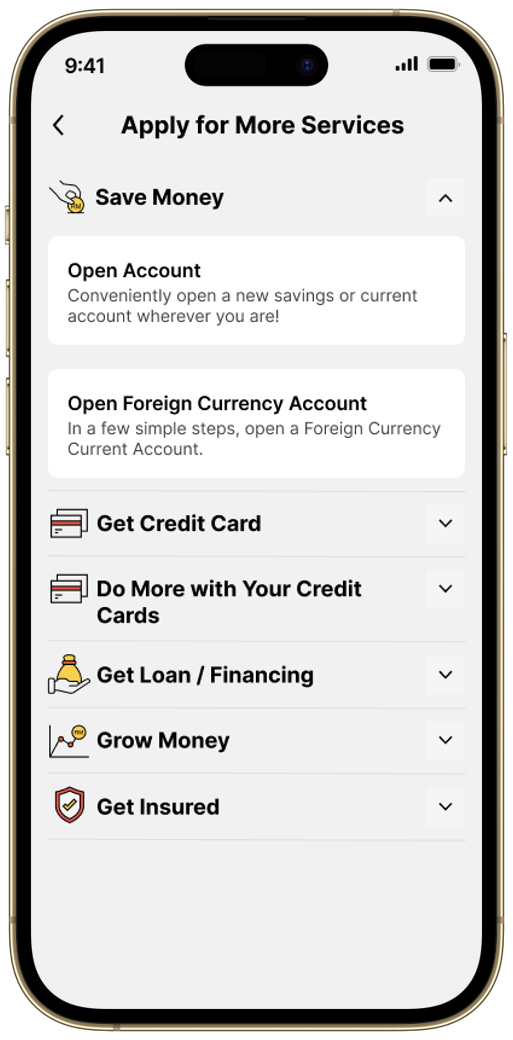
Step 1
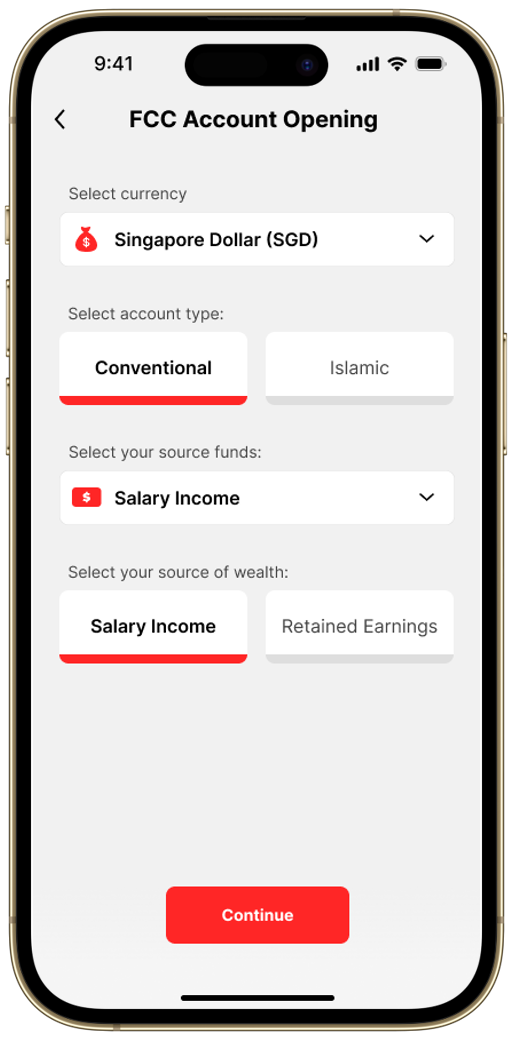
Tap ‘Apply for More Services’ at your AmOnline App dashboard > ‘Open Foreign Currency Account’ under ‘Save Money’.
|
Step 2
Select your preferred currency for investment and follow the steps.
|
Step 3
After your new FCCA is opened successfully, you can enjoy exclusive foreign exchange rate via the app!
|
| | | |
Step 1 Download AmOnline App and tap ‘Open an Account’. Follow the steps on the screen to open a Ringgit Malaysia AmBank Savings or Current Account/-i first.
Enjoy RM100 Cashback too. Learn more here. | Step 2 Once you have logged into AmOnline, tap ‘Apply for More Services’ at the app dashboard > ‘Open Foreign Currency Account’ under ‘Save Money’. | Step 3 Select your preferred currency for investment and follow the steps. | Step 4 After your new FCCA is opened successfully, you can enjoy exclusive foreign exchange rate via the app! |
Have an AmBank account/-i but not yet on AmOnline?
Download the AmOnline App from official app stores and register for an AmOnline profile using your AmBank Debit Card today!
It only takes a few minutes.
Requirements
.png?sfvrsn=555ec6ea_2 "Icon (Stroke)")
Open to Malaysians aged 18 and above, foreigners and non-residents.
- For foreigners and non-residents, kindly visit an AmBank/AmBank Islamic branch near you.
- A joint account can also be opened at any AmBank/AmBank Islamic branch.
- You can open an FCCA via AmOnline App if you are a Malaysian aged 18 and above, have an AmBank/AmBank Islamic Ringgit Malaysia Savings or Current Account, and is already registered for AmOnline.
Other Information

Note:
- Foreign currency deposits are subject to fluctuation of foreign currency exchange rate against RM.
- FCCA is protected by PIDM up to RM250,000 for each depositor.
* The currencies available for FCCA opening via branches and the AmOnline App are as follows:
| Currencies | via Branches | via AmOnline App |
| US Dollar (USD) | ✓ | ✓ |
| Sterling Pound (GBP) | ✓ | ✓ |
| Australian Dollar (AUD) | ✓ | ✓ |
| Singapore Dollar (SGD) | ✓ | ✓ |
| Euro (EUR) | ✓ | ✓ |
| Japanese Yen (JPY) | ✓ | ✓ |
| New Zealand Dollar (NZD) | ✓ | ✓ |
| Hong Kong Dollar (HKD) | ✓ | ✓ |
| Canadian Dollar (CAD) | ✓ | ✓ |
| Chinese Renminbi Yuan (CNY) | ✓ | Not available |