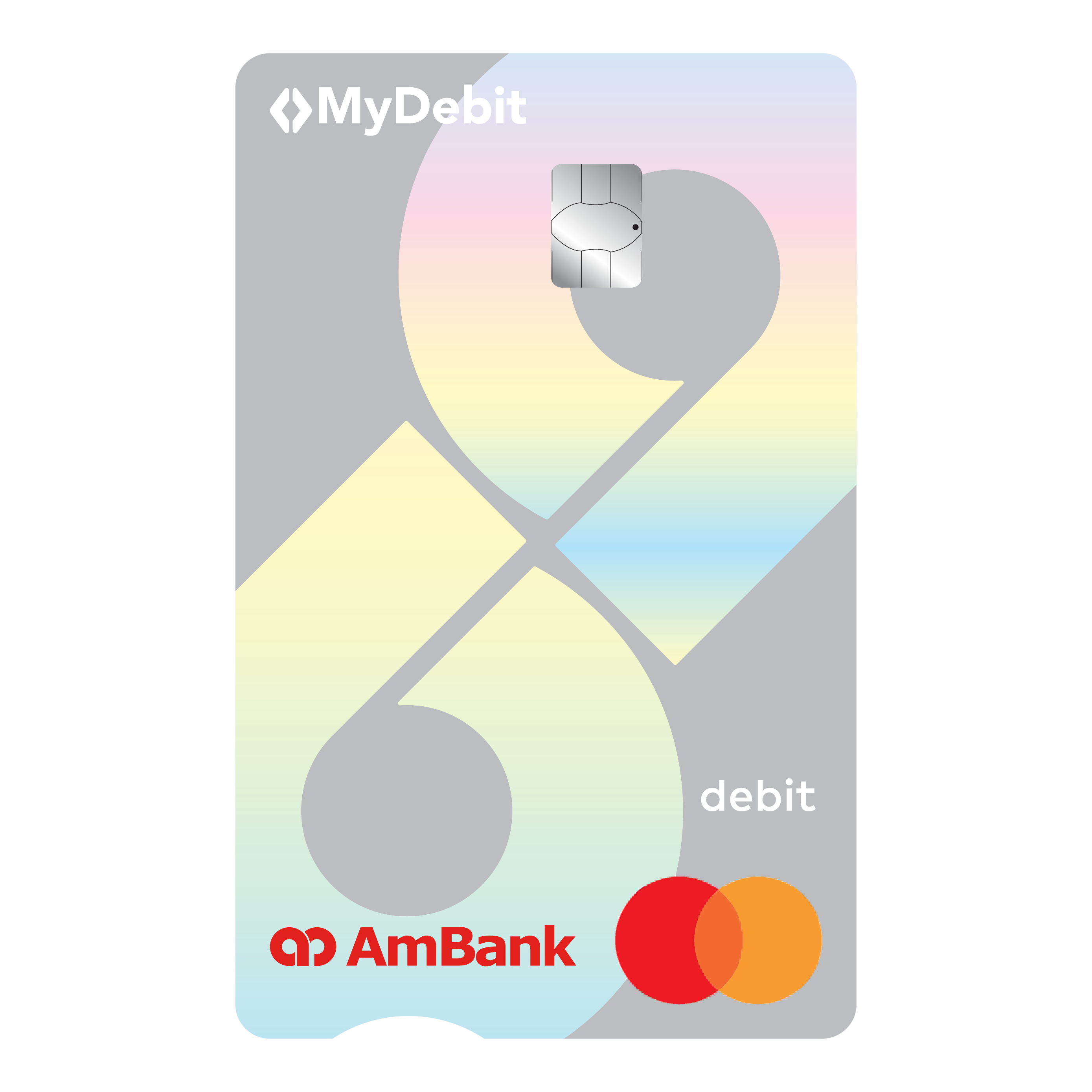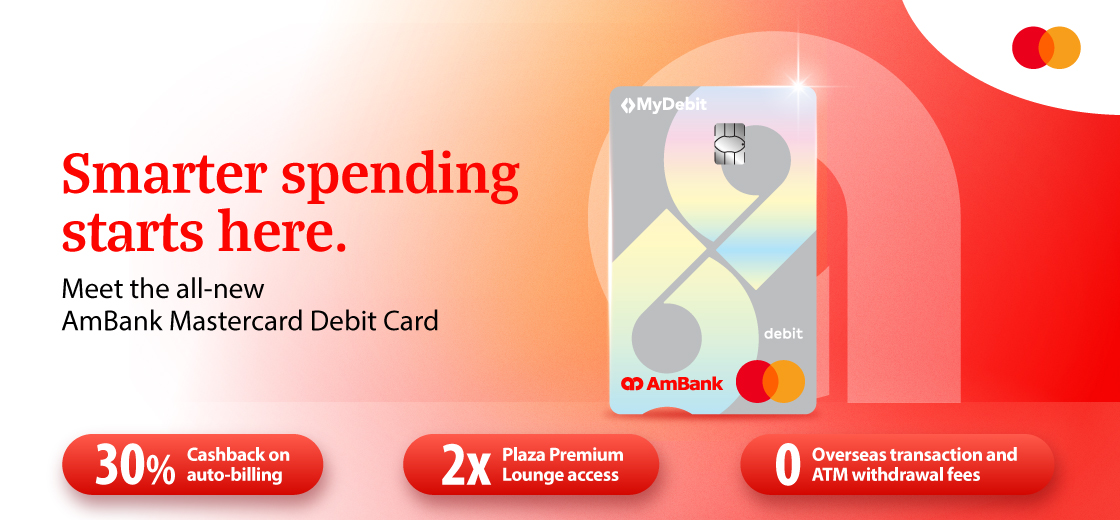
The All-New AmBank Mastercard Debit Card – Made for More
Experience everyday banking with the AmBank Mastercard Debit Card, designed for the way you live and giving you more value in your daily spend. Enjoy Cashback, exclusive offers and benefits whether you’re spending locally or overseas.
From zero overseas transaction fees on cross-border spending to complimentary ATM withdrawals abroad and exclusive Mastercard privileges, this Debit Card delivers more value with every transaction.
Benefits


Exclusive Limited-Time Offers

Enjoy Cashback when you make at least 3 auto-bill payments for telcos, utilities, streaming and AI subscriptions.
Note: Maintain a minimum Monthly Average Balance (MAB) of RM500 to enjoy this benefit.

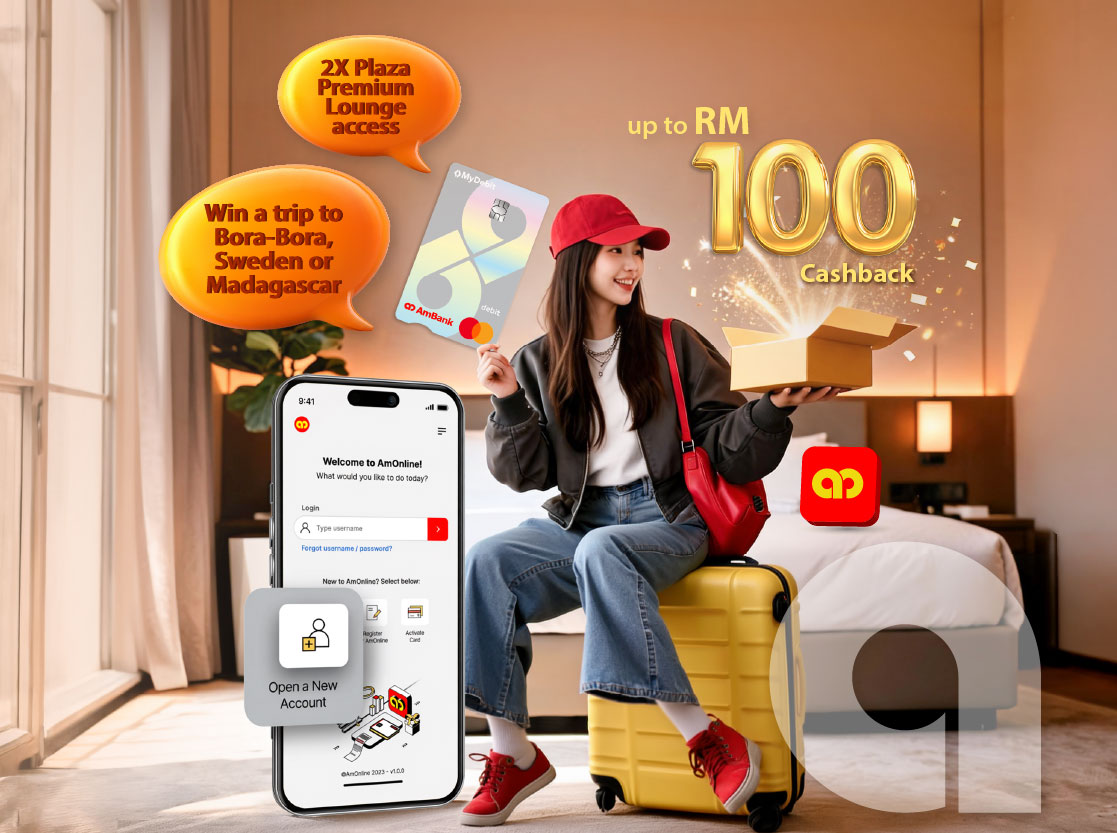
Enjoy access to Plaza Premium Lounge in KLIA 1 & 2, Penang, Johor Bahru and Langkawi.
Note: Maintain RM10,000 in your account for the past 1 month and spend with your Debit Card at least 5 times in the last month.
Limited to the first 4,000 redemptions over the Campaign Period.




with coupon code AMBANKMC.
More ways to enjoy your AmBank Mastercard Debit Card!


SEARCH ASSISTANT
Search assistance to activate your new AmBank Mastercard Debit Card
How to Activate Your Card
 Download AmOnline App
 Search for "Activate Card"
 Log in to AmOnline and follow the steps to activate
 Tap "Authorise" to activate with AmSecure
 Debit Card activated successfully
How to Activate Your Card as New User
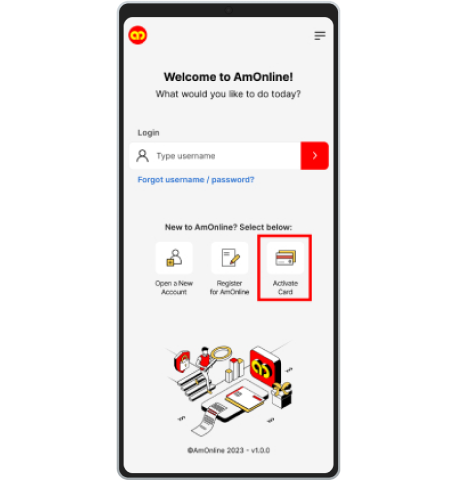 Step 1For New to AmOnline Users, click on 'Activate Card' once you launch the app. | 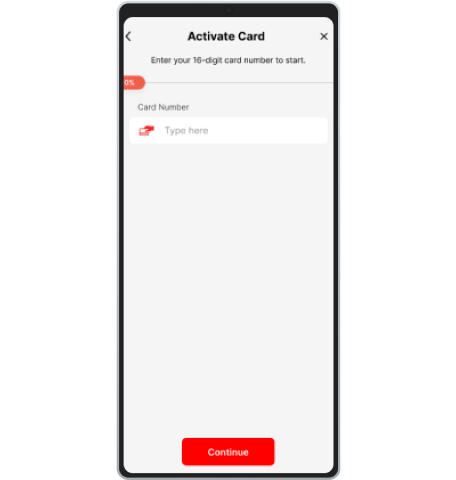 Step 2Enter your 16-digit card number and click 'Continue'. | 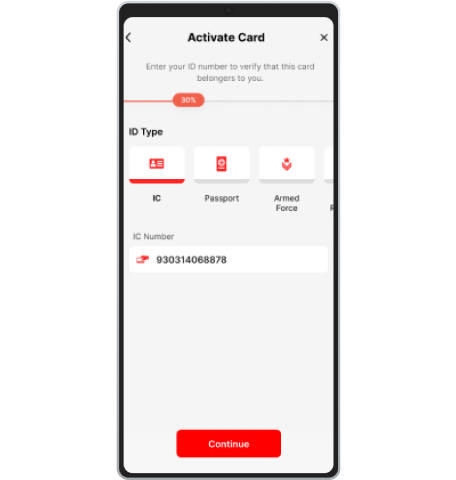 Step 3Select your ID type and enter your corresponding ID to continue. | 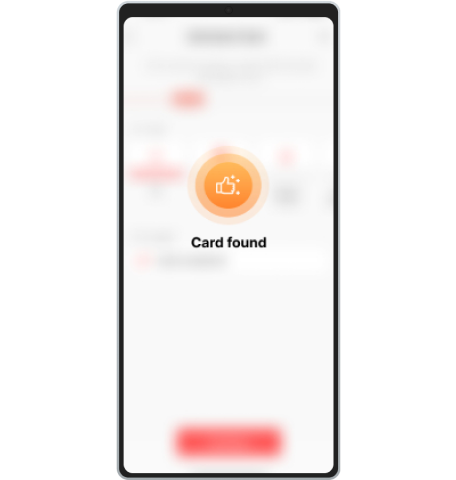 Step 4You will receive an acknowledgement that your card is found. | 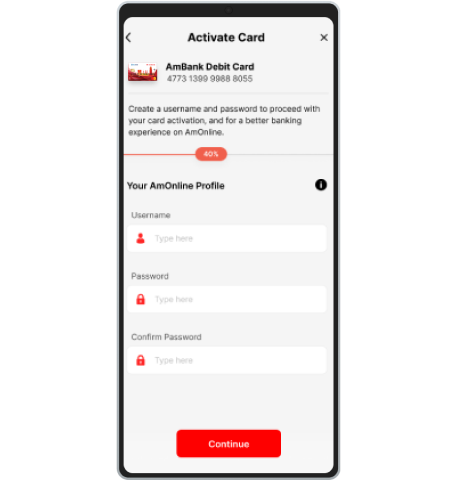 Step 5Enter in your new PIN to continue the process. | 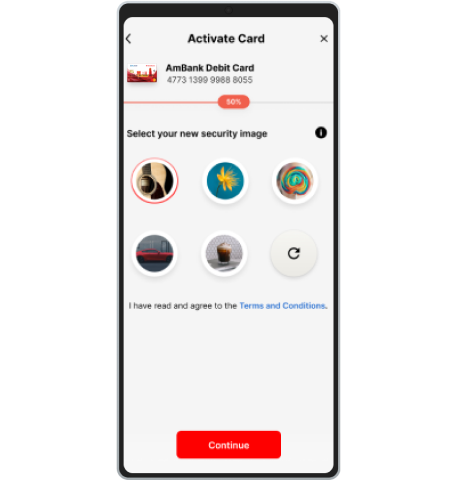 Step 6Select your security image and acknowledge the Terms and Conditions. | 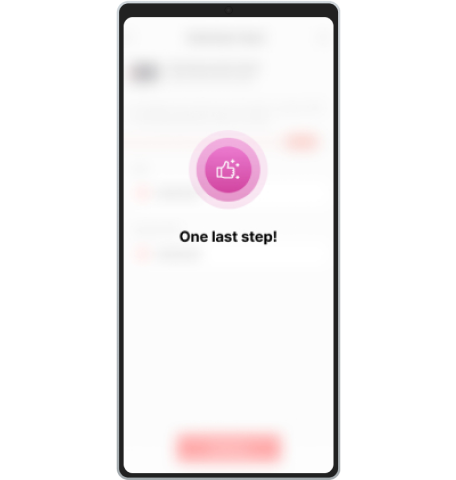 Step 7You will receive a notification message with 'One last step!'. | 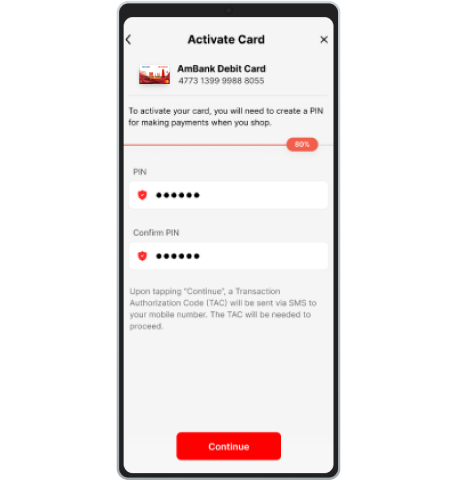 Step 8Enter the PIN for your new Debit Card and click 'Continue'. | 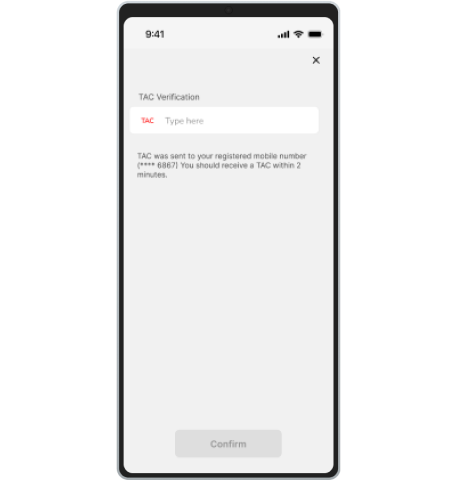 Step 9Upon receiving an SMS with your TAC, enter the received TAC and click 'Confirm'. | 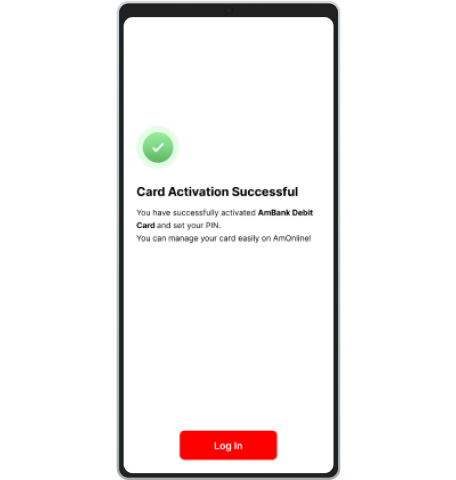 Step 10Upon success, you will be directed to a page titled 'Card Activation Successful'. |
How to Change Your PIN
Login to AmOnline App Tap on Account > Cards > Manage > Change Card PIN Key in your new PIN and confirm your PIN Tap "Authorise" to activate with AmSecure PIN changed successfullyHow to Activate Online Purchases
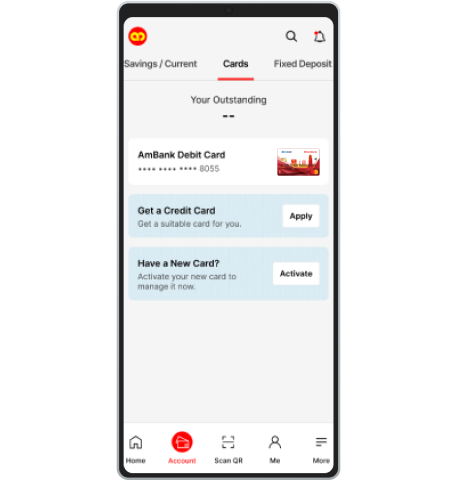 Step 1Log on to AmOnline and select Debit Card to proceed. | 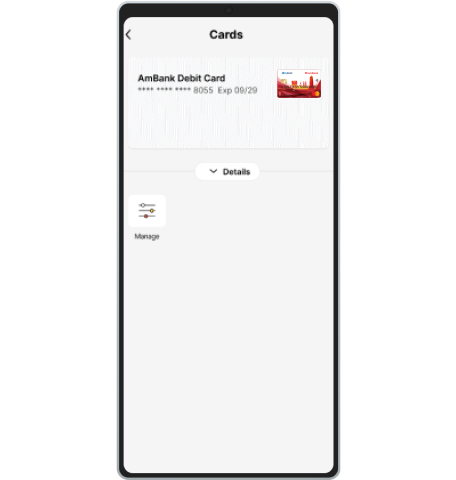 Step 2Tap on ‘Manage’ in Debit Card Details. | 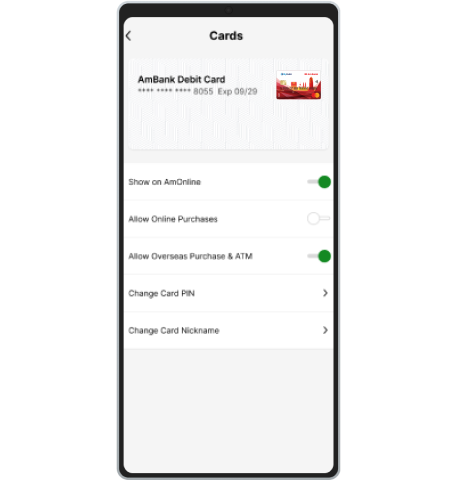 Step 3Tap on ‘Allow Online Purchases’ toggle in Debit Card Settings. The toggle is defaulted as ‘Disabled’. | 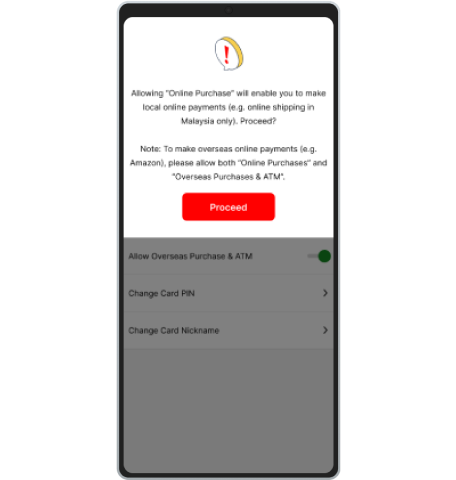 Step 4Tap on ‘Proceed’ to continue for submission.
| 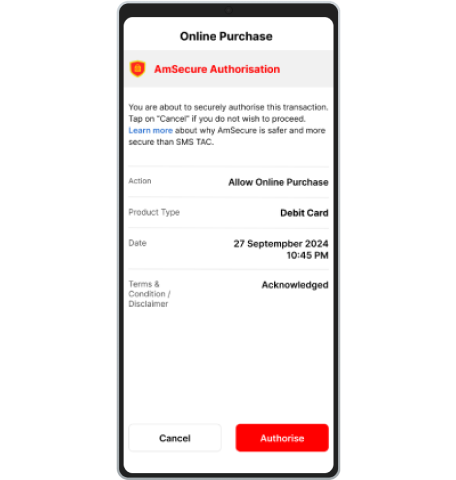 Step 5Authorize the transaction with AmSecure Authorization. | 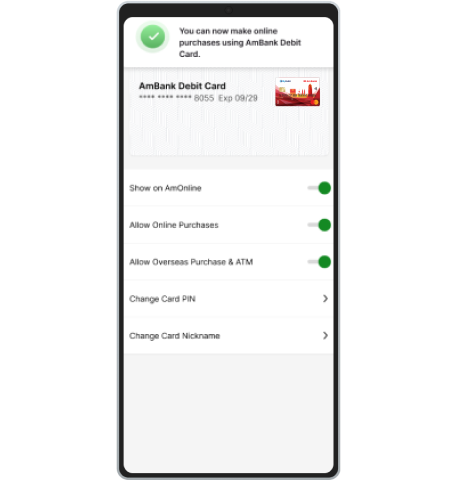 Step 6Card successfully enabled for ‘Allow Online Purchases’. |
How to Allow Overseas Purchase & ATM
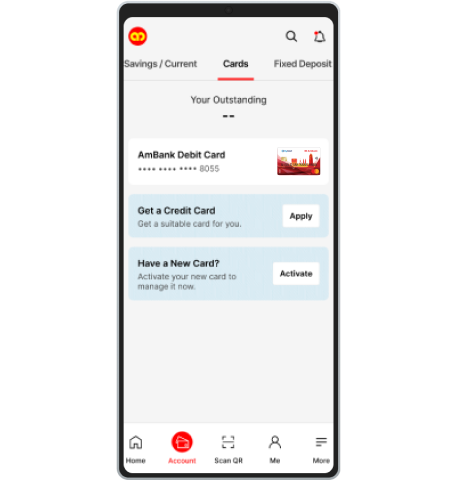 Step 1Log on to AmOnline and select Debit Card to proceed. | 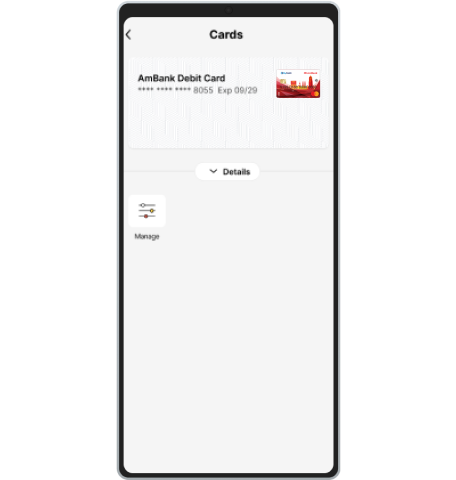 Step 2Tap on ‘Manage’ in Debit Card Details. | 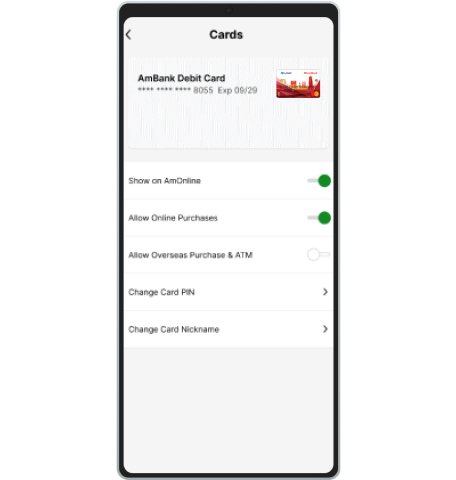 Step 3Tap on ‘Allow Overseas Purchase & ATM’ toggle in Debit Card Settings. The toggle is defaulted as ‘Disabled’. | 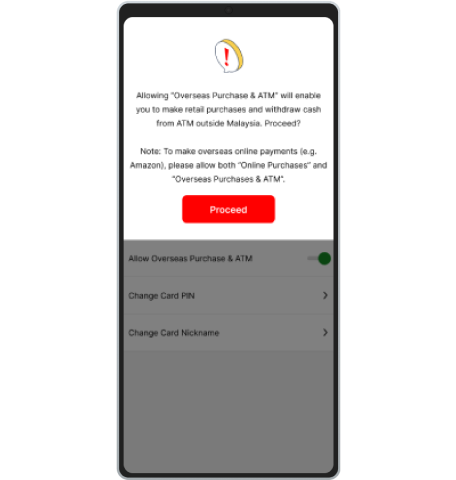 Step 4Tap on ‘Proceed’ to continue for submission.
| 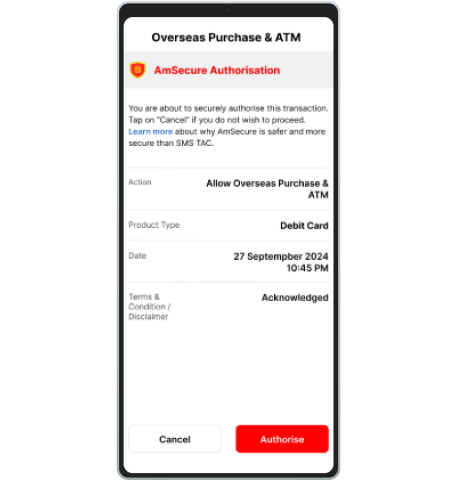 Step 5Authorize the transaction with AmSecure Authorization. | 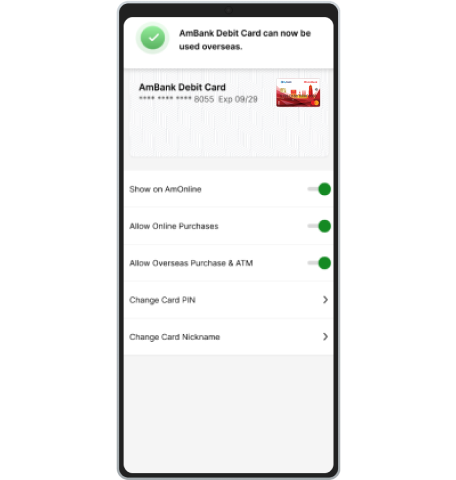 Step 6Card successfully enabled for ‘Allow Overseas Purchase & ATM’. |
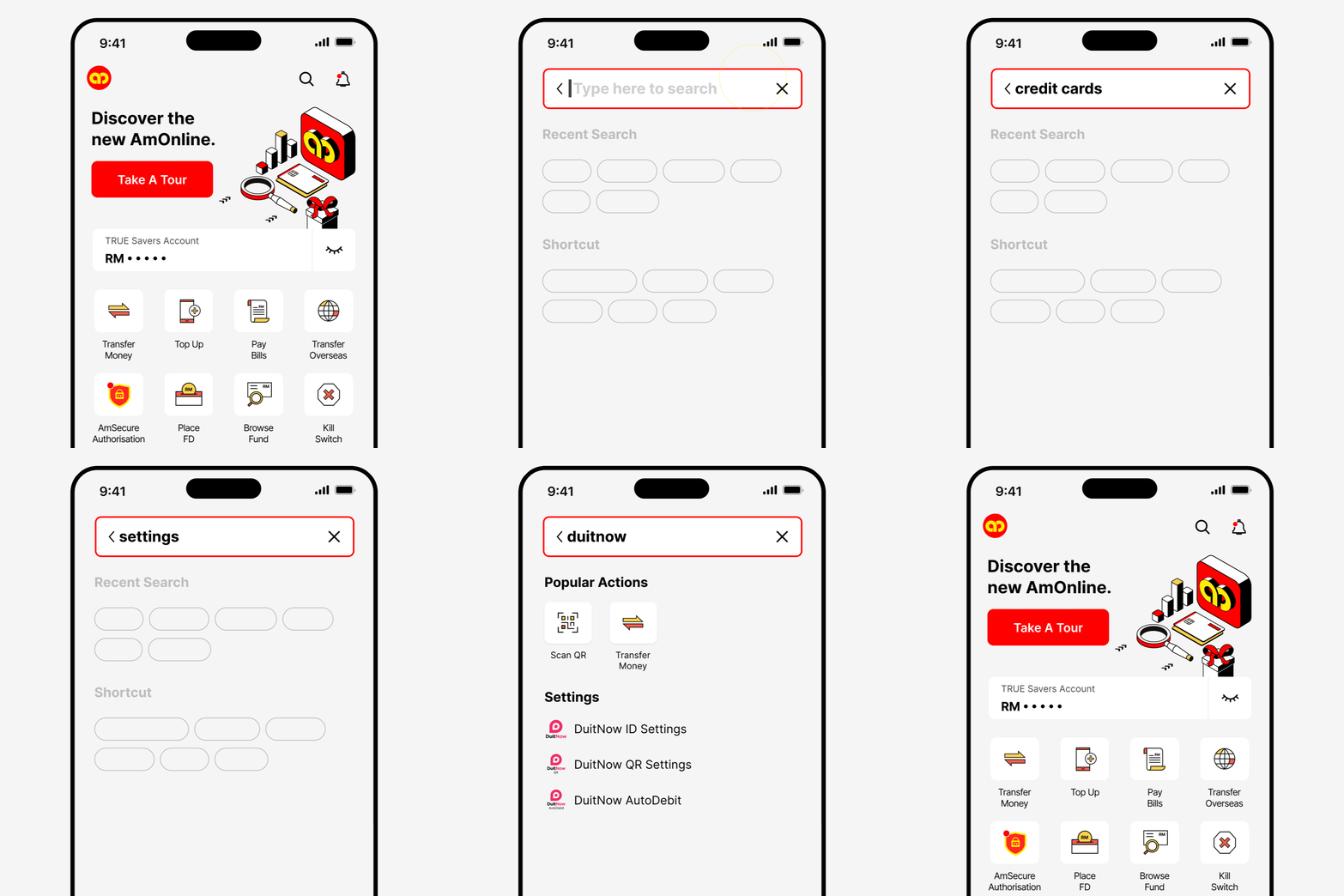
Effortless Navigation via AmOnline App to view and manage your Debit Card details and more
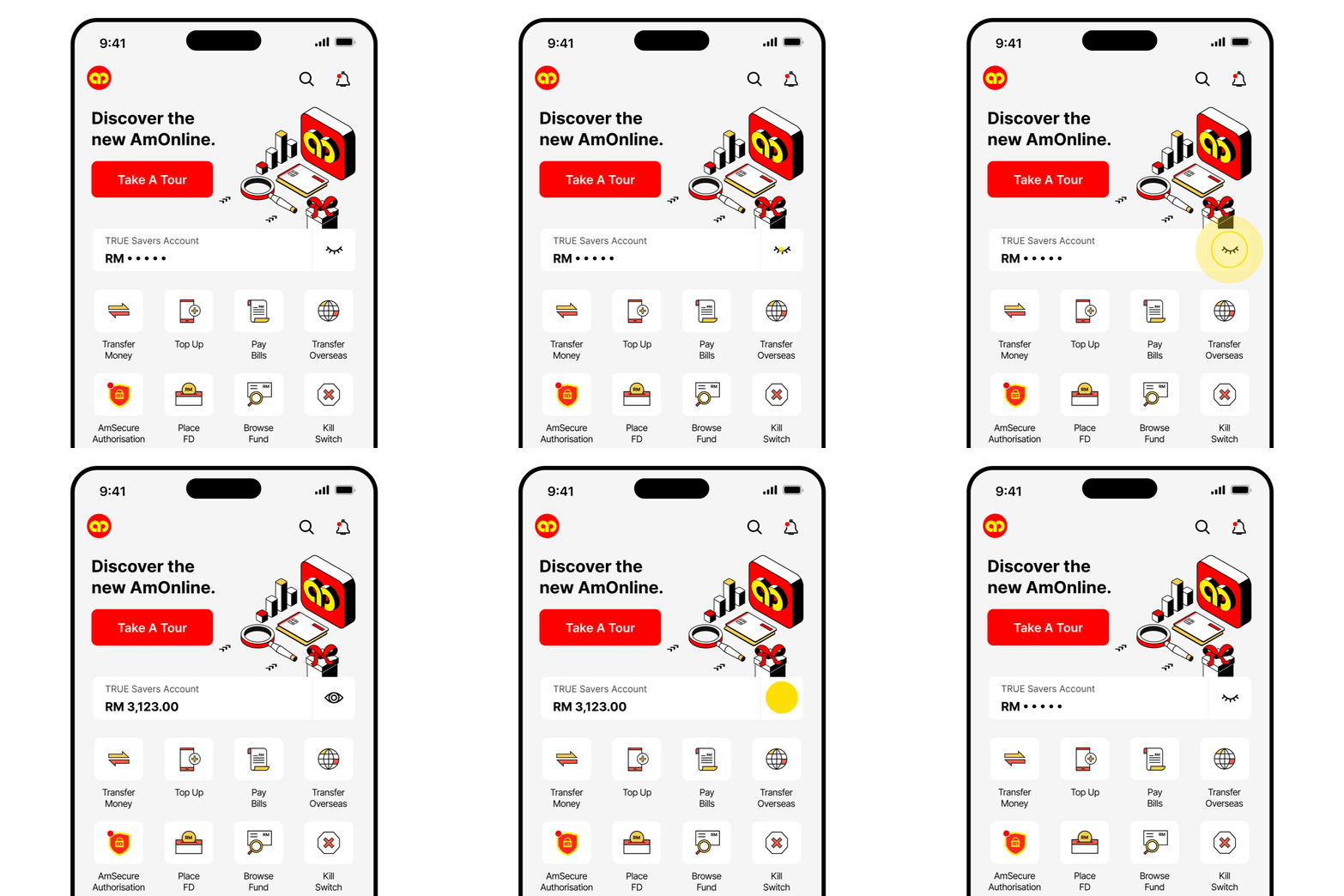
QUICK BALANCE
See your balance easily.
QUICK ACTIONS
Shortcuts to key features.
| Document | Eng | BM |
Frequently Asked Questions |
|  |
Terms and Conditions | | |
AmBank Mastercard Debit Card Rewards Campaign Terms & Conditions | | |
Product Disclosure Sheet | | |